As promised in my last post (News: ATI Catalyst Display Drivers 9.9 Released), I am back with a post on configuring dual display with ATI Radeon HD Graphics Card and proprietary catalyst (fglrx) drivers from ATI.
Hardware Used
Graphics Card: ATI Radeon HD 3200 (256MB, onboard)
Monitor 0: ViewSonic VG1930WM 1440×900 (19″ LCD, Connected via DVI port)
Monitor 1: Samsung SyncMaster 793S 1280×1024 (17″ CRT, Connected via VGA port)
Types of Dual Display
- Mirror: Both screens have same content, identical refresh rate and resolution.
- Clone: Both screens have same content but refresh rates and resolutions can be different.
- Horizontal: Both screens can have different content, refresh rates and resolution. Screen 1 is left or right of Screen2.
- Vertical: Same as horizontal. The only difference is that Screen1 is above or below Screen2.
In this post, we are interested in Horizontal setup with xinerama on. This way we can have two desktops allowing full screen modes on both of them and allowing us to drag and drop windows from one screen to the other.
Install ATI Drivers
If you don’t have ATI drivers installed already, follow this How To: Install ATI Catalyst (fglrx) Drivers on Fedora 11 (works for any version of ATI Catalyst drivers).
Generate xorg.conf file
If you don’t see the xorg.conf file at /etc/X11/xorg.conf, then you need to generate it to proceed to next step. Use the following command as root to generate one
[root@fedora ~]$ Xorg -configure |
This command will generate the default xorg.conf file at /root/xorg.conf.new. Copy it to /etc/X11/xorg.conf.
[root@fedora ~]$ cp /root/xorg.conf.new /etc/X11/xorg.conf |
Backup xorg.conf file
Backup your original xorg.conf file so that you can restore it in case the configuration doesn’t work the way you expected.
[root@fedora ~]$ cp /etc/X11/xorg.conf /etc/X11/xorg.conf.backup |
Generate Configuration for Dual Display
Now we are ready to generate the configuration for dual display. Use the following command with appropriate arguments (in accordance with your hardware configuration)
# --screen-layout will place second screen on left of your first screen. Other possible values are right,above,below. # --xinerama=on option enables you to have two different desktops and one of them being passive. # You can drag and drop windows from one desktop to the other. Task bars appear only on one of the desktops. [root@fedora ~]$ aticonfig --initial=dual-head --screen-layout=left --xinerama=on # --resolution=_screen_number_,widthxheight [root@fedora ~]$ aticonfig --resolution=0,1440x900 --resolution=1,1280x1024 # Set horizontal sync and vertical refresh rates for both monitors. [root@fedora ~]$ aticonfig --hsync=0,30-60 --hsync=1,30-60 --vrefresh=0,30-60 --vrefresh=1,30-60 |
You can download my xorg.conf file via this link.
Reboot or Logout and Login Again
If you just setup your ATI drivers and configured the dual display, you need to reboot so that fglrx module can be loaded properly. If you rebooted after setting up the drivers, just logout and login again to checkout your dual display 🙂 If everything works fine, say thanks to me and if not blame ATI 😛
Adjust DPI for Normal Font Size
I faced a problem with my font sizes being too big while using xinerama. It was easy to fix by adjusting DPI. Go to System -> Preferences -> Appearance. Go to Fonts tab. Click Details located near the bottom right corner. On that window, try descreasing the “Dots Per Inch” value. Mine worked fine with 85 DPI.
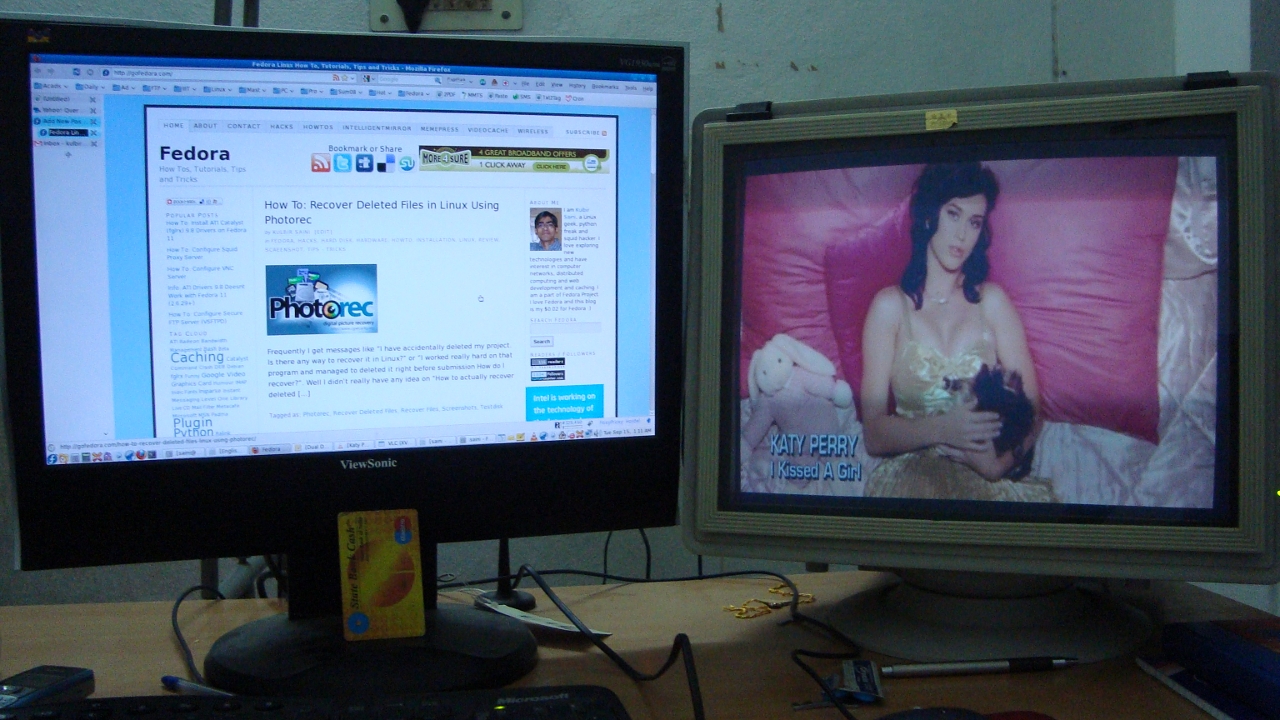
Below is an image of my dual display setup. Click to enlarge.
Are you looking for MB4-217 and MB5-858 exams help? You can download our MB6-819 and 70-177 to pass your real 70-284 exam.